
Environment Files
Manage the variables and secrets of your applications without committing them to Git
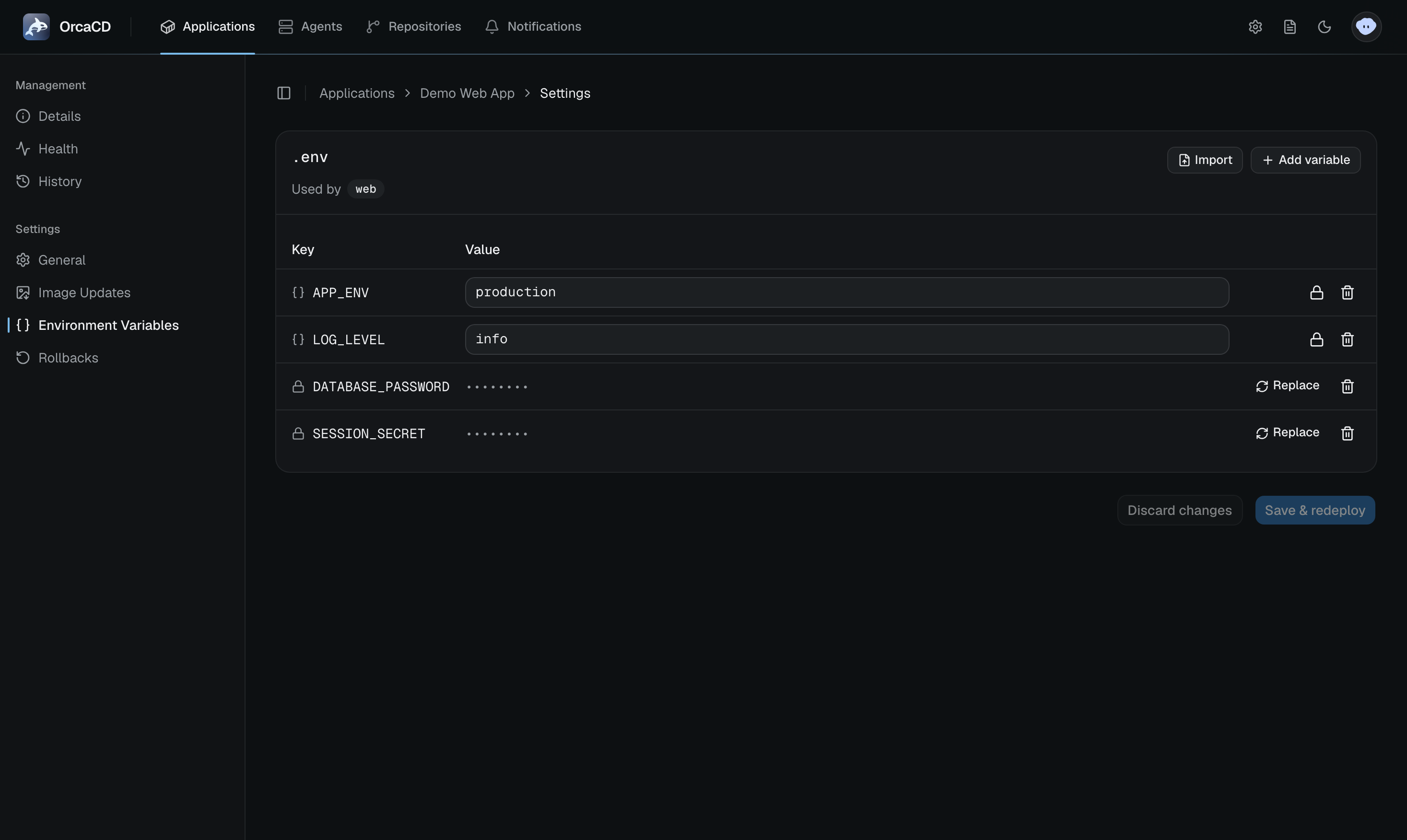
Secrets like database passwords don't belong in your repository. With OrcaCD you keep them in env files on the Agent and edit them in the UI under Settings → Environment Variables of an application.
The values are sent encrypted to the Agent and stored only in the env files next to the Compose file. They are never stored in the Hub database.
Declaring Env Files
OrcaCD manages the env files that the services of your Compose file reference with env_file:
services:
  app:
    image: ghcr.io/example/app:1.4.2
    env_file: .env
The file has to be inside the directory of the application. If it doesn't exist yet, the Agent creates an empty one on the first deployment. Commit the change and sync the application, then the file shows up in the settings.
Variables and Secrets
Each entry is either a variable or a secret:
- Variables are shown in plain text and can be edited.
- Secrets are never sent back to the Hub. You can only replace or delete them.
Entries are secrets unless the line above them is the comment # orcacd:public, so values that already exist in an env file are treated as secrets.
# orcacd:public
LOG_LEVEL=info
DATABASE_PASSWORD=super-secret
Saving Changes
Changes are collected until you click Save & redeploy. OrcaCD then writes all env files and redeploys the application, so the containers pick up the new values. If someone else changed the values in the meantime, reload the page and apply your changes again.
To move an existing setup to OrcaCD, click Import and drop, paste or choose a .env file. You can pick which entries to import, and entries that are not in the file stay as they are.
The Agent has to be online to show or change the values, because they only exist on the Agent.
Last updated on